TL;DR
- Making a video with Claude means having it write code — typically one self-contained HTML page built on Canvas, SVG, Three.js, or GSAP — that renders as motion when you open it in a browser. Export that page to MP4 and you have a postable video; edit it by changing lines, not by re-rolling a generation.
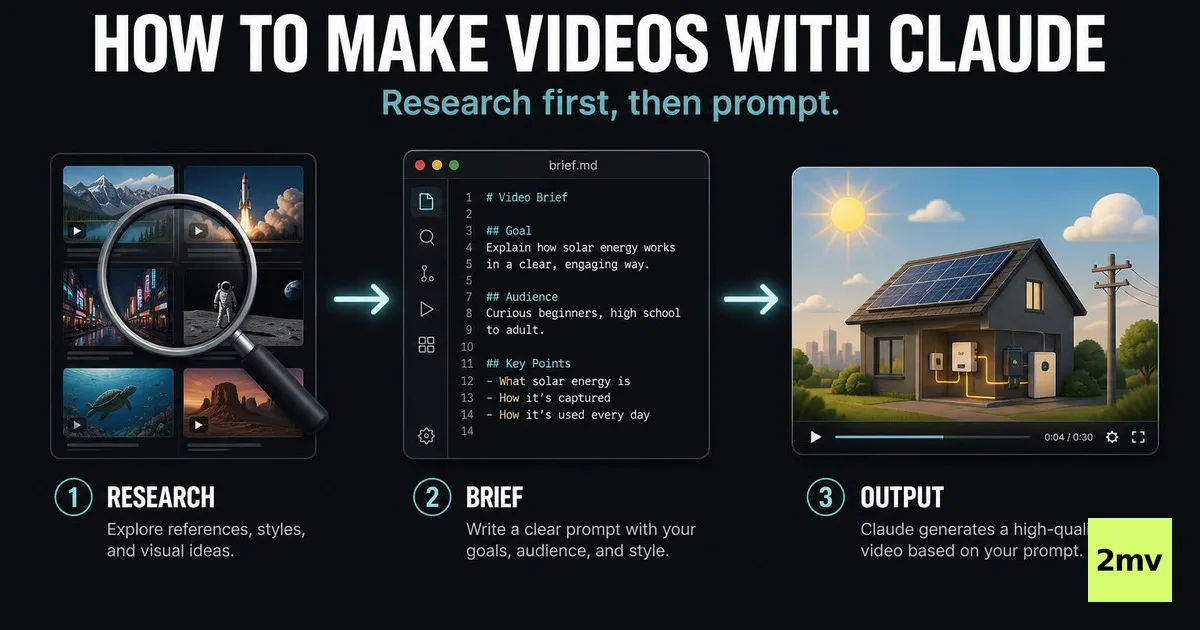
- Most tutorials on this topic end at "paste a prompt, receive a video." This one adds the step that decides whether the output is worth posting: before prompting, decode five to ten proven videos in your target format and brief Claude on their structure — the same research-first discipline we apply to any video work.
- The workflow has five steps: pick a format family, write a structure brief instead of a visual description, generate a single-file draft, iterate by editing code in the browser, then render and export — screen recording for drafts, headless Chrome plus ffmpeg or a code-based framework like Remotion for finished pieces.
- Format choice is not aesthetic: of the 100 highlighted entries on the crowd-maintained list that catalogued September's wave, 58 are motion graphics, 16 explainers, and 14 are 3D scenes as of late September 2026 — a map of what code expresses natively, which is where your odds are.
- Honest limits up front: quality varies widely between runs, prompts written as picture descriptions produce generic output, one-shot expectations lead to disappointment, and the real bottleneck is usually deciding what to make — a selection problem, not a generation problem.
1. What "Making a Video With Claude" Actually Means
Start by fixing the mental model, because every practical decision in this tutorial falls out of it. When Claude "makes a video," it does not synthesize pixels the way a text-to-video model does — Google's ecosystem ships dedicated generation models and Anthropic's does not, as of late September 2026, a comparison we unpack in can Gemini analyze videos. Instead, Claude writes a program: you describe an animation, it returns a self-contained web page — HTML for structure, Canvas and SVG for drawing, Three.js for 3D, GSAP for timing — and that page, running in your browser, is the video. Every frame is the deterministic output of code, which is why a fix is a diff rather than a re-roll, why a chart shows exactly the numbers you gave it, and why a loop can be guaranteed by construction instead of edited into existence.
The proof that this is now a real production route is recent and measurable. After Claude Opus 5.5 shipped on September 22, 2026, a week-long wave of code-rendered viral videos followed — GitHub's API showed 1,690 new "claude video" repositories as of September 28, and the crowd-maintained list tracking the wave held 475 prompt-backed entries by September 29. The timeline, the decoding of why those videos spread, and the honest accounting of the editing track (Claude driving Resolve or Premiere through MCP servers) are covered in depth in can Claude make videos; this article takes the next question — given that the path works, how do you actually run it.
For the how-to, three consequences of "code, not pixels" matter. First, your deliverable from Claude is a file you can open, inspect, and version — treat it like source code, because it is. Second, the render pipeline is ordinary web tooling: the page plays live in a browser, and converting it to MP4 means either recording that playback or rendering frames headlessly and encoding them — the wave's breakout music video painted its frames in headless Chrome and encoded with ffmpeg, and that repo's approach is the quality ceiling of this tutorial's final step. Third, the medium has a native vocabulary. Code draws typography, geometry, particles, and data perfectly and photographs nothing, so the craft of this workflow is mostly the craft of choosing work the medium can do.
2. Before You Prompt: Steal Structure, Not Style
Here is where this tutorial departs from the standard one, and the departure is the whole point. The typical guide — open Claude, paste a prompt, collect a video — is not wrong, but it skips the step that determines whether what you collect is worth posting. A prompt pulled from thin air encodes only your assumptions; a prompt built on decoded evidence encodes what the format's audience already rewards. Research first, generate second.
Concretely: before you write a single prompt, gather five to ten videos that already worked in the format family you are targeting, and take them apart. If you are riding the Claude wave itself, the research material is unusually good — awesome-opus5-5-videos is a curated list of hundreds of viral code-rendered videos with the prompt behind each one attached, sorted into categories, which makes it a ready-made corpus: pick your category, watch the top entries, and read the prompts as documentation of what input produced what output. If you are making videos for your own niche instead — TikTok, Reels, Shorts — the same discipline applies to whatever is charting there this week; the decoding work is identical even though the medium is not.
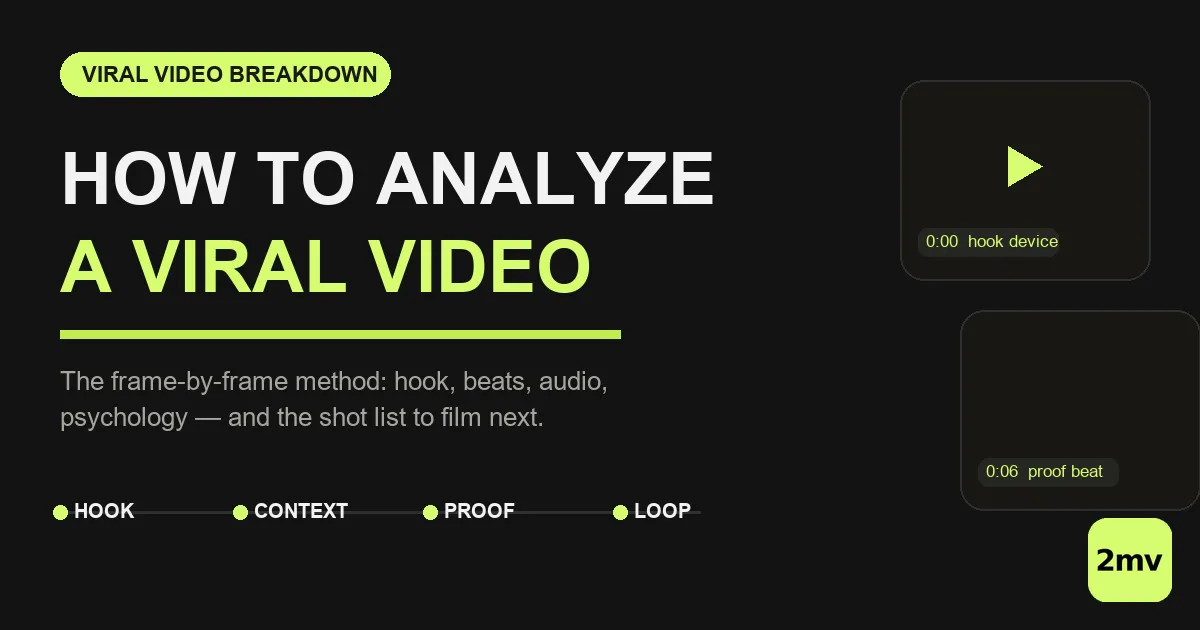
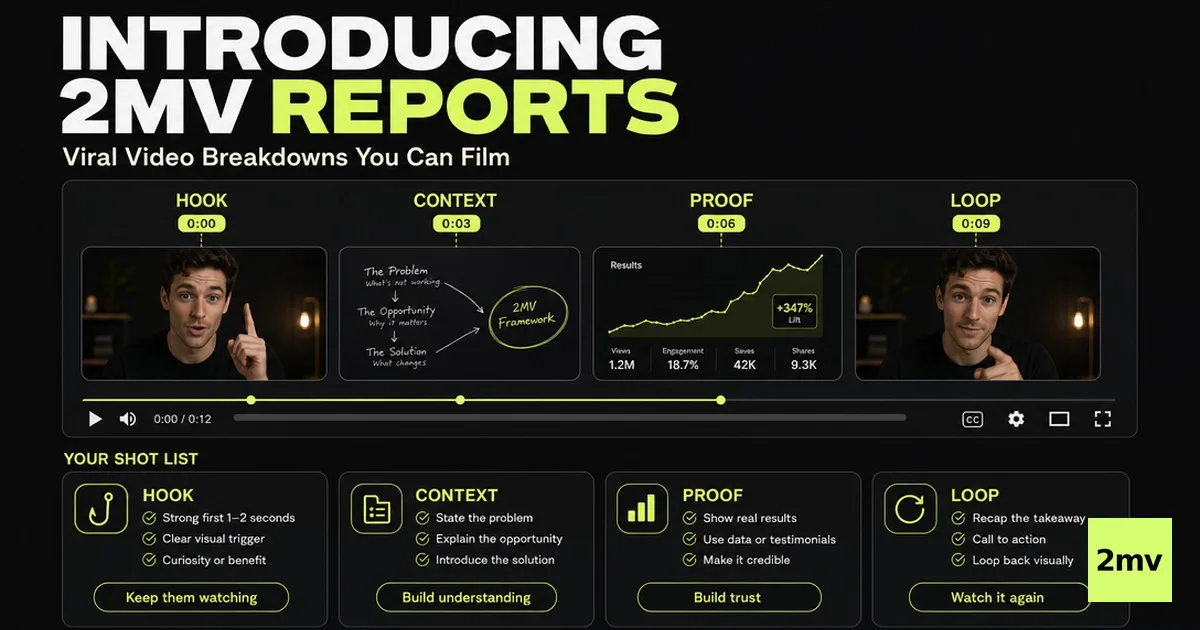
What you are extracting from each video is structure, not style. Style is what the video looks like and it belongs to its creator; structure is the machinery underneath and it is fair to learn from. For each video, write down four things: the hook device (what specifically interrupts the scroll in the first two seconds), the beat sequence (what changes on screen, in order, with rough timings), the pacing curve (where it accelerates, where it holds), and the loop (whether and how the ending returns to the beginning). The full five-pass manual method — baseline check, frame-by-frame hook deconstruction, muted structure mapping, audio layer, shot list — is documented in our guide to analyzing a viral video, and it transfers to this medium unchanged. When you are decoding at volume across a niche rather than a handful of clips, this is also the step where a dedicated AI video analyzer earns its place — per the product's own description it returns an eight-axis breakdown with a beat map and timing guidance from a platform link, which is the same decode executed automatically.
The output of this step is not inspiration. It is a structure brief: five to eight lines naming the hook, the beats with target timings, the data or claims that appear, and the loop condition. That brief is what you will hand to Claude in the next section, and it is the single highest-leverage artifact in this workflow — it converts "make me something cool" into an engineering specification.
3. The Workflow, Step by Step
Step 1: Pick a format family
Decide which family of video you are making before writing anything, because the family determines the technical stack and the brief. Motion graphics and kinetic typography live on Canvas, SVG, and GSAP. Explainers live on the script plus animated charts or diagrams. 3D scenes live on Three.js. Playable loops live on game-style code. Section 4 of this article prices each family honestly; the operative rule here is just to choose deliberately and to let the choice show up in every later prompt, so Claude is solving one problem rather than three.
Step 2: Write a structure brief, not a visual description
Take the decode work from the previous section and compress it into a brief. The failure this prevents is the most common one in practice: prompts written as mood boards. "Make an amazing video about productivity" gives the model nothing to compute; a brief gives it timings, beats, and constraints to satisfy. A brief template you can adapt:
FORMAT: kinetic-typography explainer, 30 seconds, seamless loop
AUDIENCE: [who will scroll past this — one line]
HOOK (0-2s): [the named device, e.g. "the number 87 enters frame
  before any text, setting an information gap"]
BEATS: [5-8 numbered beats with target seconds, from your decode]
DATA: [the exact numbers and claims that appear on screen]
LOOP: end state must equal start state
Step 3: Ask for a single-file draft
The list cataloguing the wave states its own production method in one line — every entry was made by asking Claude for a single HTML file — and that constraint is worth copying: one self-contained file with no external dependencies runs anywhere, renders identically forever, and is trivial to version. Turn the brief into a generation prompt:
Build a 30-second animated video as ONE self-contained HTML file.

Follow this structure brief exactly — do not add scenes and do not
drop beats:
[paste your brief]

Technical requirements:
- Single HTML file, no external assets or CDN dependencies
- Canvas for the typography and particles, driven by
  requestAnimationFrame
- A fixed 1080x1920 stage (vertical) with everything scaled to it
- A DURATION constant and a SPEED constant I can change in one line
- The final frame must be identical to the first frame
Paste it into Claude — the plain app is enough; Claude Code earns its keep only on ambitious, multi-part projects — and you get back a draft page. Open it in a browser and watch it before reading a line of the code.
Step 4: Iterate in the browser — edit code, don't regenerate
This is the step that separates people who get one mediocre video from people who get a good one. The deterministic pipeline means iteration is surgical: you describe the change, Claude edits specific lines, and everything you did not mention stays put. Regenerating from scratch each time discards what worked — treat the draft as a codebase under review, and direct your notes at beats and timings, exactly as your brief named them:
The pacing sags between beats 3 and 4. Compress beat 3 to 1.5
seconds and give the saved time to the payoff beat. Change only
timing constants and the easing on the text swap; leave everything
else untouched.
The loop has a visible jump in the last half-second. Find which
animated property does not return to its starting value and fix the
math so it does.
Expect several rounds. The flagship project of September's wave — a full music video generated in Claude Code — went through exactly this loop: an initial generation, an explicit evaluation of what was weak, and a regeneration with better internal direction. First drafts are hypotheses; the iteration budget is not an overhead, it is the process working as designed.
Step 5: Render and export
When the page plays the way you want, convert playback into a file. Three routes, in ascending order of effort and quality. Screen recording is the fast path and is entirely legitimate for social drafts: play the page fullscreen in a fixed viewport, record with any capture tool, trim the ends. Headless rendering is the quality path: drive the page with an automation tool such as Puppeteer or Playwright, screenshot each frame at a fixed timestep into a numbered image sequence, then encode — a standard ffmpeg invocation such as ffmpeg -framerate 60 -i frame_%05d.png -c:v libx264 -pix_fmt yuv420p output.mp4 produces the MP4, and this two-stage pattern is precisely how the wave's music video was rendered. For teams planning a repeatable series — weekly data animations, a brand template — a code-based video framework such as Remotion is worth the setup: your composition becomes a React component and rendering becomes a CLI call, which turns one video into a template you re-render with new data.
4. Format Families That Work
The distribution of September's wave is not an aesthetic accident; it is a census of what a program draws without friction. Of the 100 entries highlighted on the list as of late September 2026, 58 are motion graphics, 16 explainers, 14 are 3D scenes, and 12 are games — and the full argument for why that skew exists is made in can Claude make videos. For the practitioner, the skew reads as a table of odds:
| Format family | Share of highlighted entries | Why code wins here | What your brief should lead with |
|---|---|---|---|
| Motion graphics (kinetic type, particles, logo reveals) | 58 of 100 | These are native objects of Canvas, SVG, and GSAP — no physics to get wrong, no faces to deform | Exact timings, easing, and the loop condition |
| Explainers (script plus animated charts) | 16 of 100 | An explainer is a talking document — script, diagram, punchline — and Claude writes documents by trade | Claim order, the on-screen data, the punchline beat |
| 3D scenes | 14 of 100 | Three.js camera moves and geometry render deterministically and loop cleanly | Camera path, scene beats, lighting mood in one line |
| Playable posts and games | 12 of 100 | The loop made literal — the video never ends because it is interactive | Core loop mechanic and the share moment |
The negative space is equally instructive. Live-action vlogs, talking heads, unboxings, your product on a real table with real lighting — none of this is reachable from the code path, because a program cannot photograph. If the concept needs a face or a place, it needs a camera or a pixel-generation model, and no prompt engineering changes that. The practical discipline: run your idea through the table before briefing it, and if it fights the medium, change the idea rather than fighting the render.
5. Common Failure Modes
Four patterns account for most disappointing outcomes, and all four are avoidable with process rather than talent.
Treating the prompt as a render button. The same prompt can return a mesmerizing loop or a broken page, and the 475 catalogued videos are survivors — curated from 1,690 repositories, which are themselves only the attempts someone judged worth publishing. A prompt is a hypothesis you test and revise, not a specification the universe honors. Budget two to five iteration rounds per video and the variance stops being a complaint and becomes a line item.
Briefing pictures instead of structures. When the prompt is a mood board — "cinematic, epic, about growth" — the output is generic because nothing in it is computable. Timings, beats, named hook devices, and exact on-screen data are what the model can satisfy; adjectives are what it must guess at. If your prompt contains no numbers, it is probably a mood board.
Expecting the first shot. The best-documented project of the wave shipped two generations and an evaluation between them, and it had the advantage of running in Claude Code with sub-agents. A single paste into a chat window is the entry ticket, not the finished process; the teams publishing consistently treat generation as the first fifth of the work.
Underpricing selection. The scarce skill is not prompting — it is knowing which video is worth making, which format is saturating, and which variation reads as a contribution rather than a copy. That is a research question, and no amount of generation quality substitutes for answering it. This is the failure mode the research-first step exists to prevent, and it is also where the compounding value lives: this month's production trick decays, but a team that knows why formats win keeps that asset.
6. Where 2mv Fits
Read this tutorial's emphasis correctly: four of its five steps are about deciding what to make and specifying it precisely, and only one is about generation. That ratio is deliberate, and it is roughly the ratio our own work runs on. 2mv's five-engine system begins with Watch and Decode — building the corpus of what is working in a niche and breaking it into structures before anything gets produced — and that discipline is exactly what step two of this workflow applies in miniature. When the decode needs to run across a whole niche rather than a handful of clips, the AI video analyzer is the tool we built for it; the production side, meanwhile, is medium-agnostic — code-rendered or camera-shot, what decides performance is whether the structure was worth building.
7. Conclusion
Making videos with Claude is genuinely accessible — the barrier is a prompt, the stack is a browser, and the export is standard tooling — which is precisely why the differentiator is not access anymore. The teams that get value from this path will be the ones that treat it as a production system: decode proven structures before prompting, brief the machine on beats and timings rather than adjectives, iterate on code instead of re-rolling, and choose formats the medium is actually good at. The wave of late September 2026 proved the pipeline works; what it also proved, in its 475 survivors drawn from a much larger pile of attempts, is that execution quality is the filter. Research first, structure second, code third — in that order, the tool is remarkable; out of order, it is a slot machine.
FAQ
Is making videos with Claude free?
There is no per-video charge. The code path costs whatever Claude plan you already pay for — the generation itself — and nothing per render: the page plays in your own browser, and the export tools (screen recorders, headless Chrome, ffmpeg, Remotion) are free or open source. The realistic cost is iterations, since each revision round consumes conversation, so budget by rounds rather than by video.
Do I need to know how to code?
You do not need to write code, but you cannot be afraid of it. Claude produces and edits the code; your job is reviewing output and directing changes in ordinary language, as the iteration prompts above show. Reading the generated file well enough to say "slow down this constant" helps, and for ambitious projects — multi-chapter pieces, unattended renders — Claude Code does the heavier orchestration. The skill that actually gates quality is specifying structure precisely, which is a directing skill, not a programming one.
Can I make YouTube videos with Claude this way?
Yes, in the sense that the export is a standard MP4 that uploads anywhere — the constraint is format fit, not platform. The code path naturally produces the vertical short and the motion-graphic explainer, which map onto YouTube Shorts and the animated segments of long-form; a full talking-head long-form video is not what this medium produces. For the analytical side of YouTube work — studying which formats are winning before you build — the input advantages of other assistants are covered in can Gemini analyze videos.
Can I make animated videos with Claude?
That is the medium's home turf. Animation in the sense of typography in motion, shapes morphing, particles flowing, charts drawing themselves, and 3D cameras gliding — all of it is native code territory, which is why motion graphics dominate the wave's catalogued output. Animation in the sense of a character actor performing a scene with a face is the weaker edge of the medium; stylized geometry works, photoreal performance does not.
How do I create marketing videos with Claude Code?
The pattern that works is data you already own, animated. Product claims, benchmark numbers, pricing changes, usage statistics — brief them as exact on-screen data with named beats, and the output is a data-driven brand animation rather than a generic template. Claude Code specifically earns its keep when the video becomes a template: parameterize the data, re-render for each campaign, and one build becomes a season of output. What this path will not give you is footage of your physical product — that is a camera's job, with the distinction drawn fully in can Claude make videos.
Why does my Claude video look worse than the ones going viral?
Usually a compound of three fixable things. The prompt was a description rather than a structure brief, so the model guessed where it should have computed. The iteration budget was one round, while the published examples you are comparing against are survivors of many. And the format fought the medium — a concept that needed photography was forced into code. Fix the brief, add two revision rounds, and move the concept into the format families table; most of the gap closes from there.
How to make videos with Claude · published 2026-09-30 · 2mv Team