opening ideas
see how the video begins and what you could try.
see how a video uses its opening, visuals, text, and sound, then find ideas for your own
add a video link in studio, review the analysis, and choose ideas to use in your own content.
choose a video you want to learn from and paste its link into studio.
explore the opening, scenes, text, and sound in the video.
choose useful ideas and make them your own with your words and footage.
review the first words, images, and on-screen text to understand how the video introduces its topic.
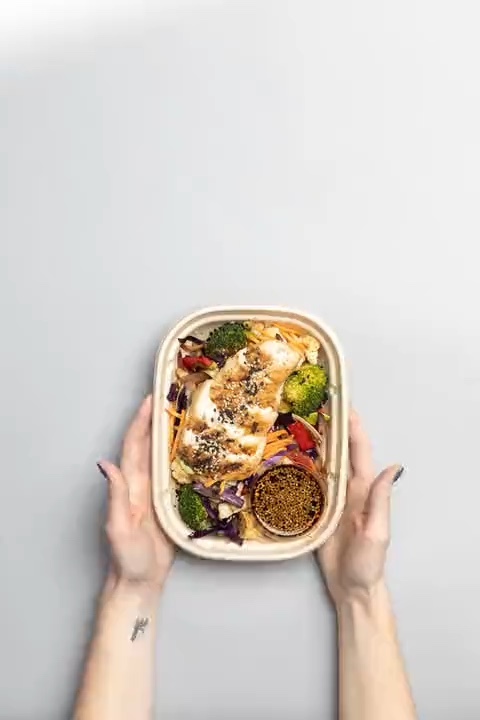 opening framestart with the finished result.
Here’s the lunch I made ahead.
follow the video scene by scene and see when the shots change, text appears, and sounds are used.
“lunch, ready.” · voiceover starts
one key step · natural sound
ingredient labels · cut on the beat
practical takeaway · voiceover closes
see how the video introduces an idea, explains it, and ends with a result or useful takeaway. the analysis suggests what may hold viewers’ attention; it does not show what viewers actually watched or felt.
introduce the task.
show the method.
make the outcome visible.
give one next step.
showing the result first may create curiosity about the process.
a possible explanation, not measured audience behavior.use what you learn to choose an opening and plan your scenes with your own words and footage.
get a breakdown of the opening, scenes, and editing, plus suggestions for planning your own video.
see how the video begins and what you could try.
follow the order of scenes, text, and sound.
explore how questions, contrasts, and examples may help hold attention.
choose what to use and what to change for your topic.
see how an ai video analysis tool fits into your workflow and which creative decisions remain yours.
| task | on your own | with the ai video analyzer |
|---|---|---|
| review the opening | replay the first few seconds and take notes | review the opening words, images, and text together |
| follow the scenes | write down what happens in each scene | review the video in order |
| plan your video | organize your notes into a plan | use the suggestions to build your own plan |
use an ai video analyzer for ads and product demos to study how a reference introduces a problem, shows the product, and explains its value.
study a reference before recording your own version.
build a shared video plan for creators and editors.
explain proposed formats with concrete examples.
adapt a demonstrated structure to your own product.
take a closer look at the videos you want to learn from on instagram reels, tiktok, and youtube shorts
tiktok, instagram reels, and youtube shorts links.
it examines the visuals, on-screen text, audio, and order of scenes to help you understand how a video presents its ideas.
a breakdown of the video’s opening, scenes, editing, text, and sound, plus suggestions you can use when planning your own video.
no. it helps you study a video and plan your own. you still need to film and edit it.
video analysis ai can suggest which creative choices may have helped attract attention, but it cannot prove why a video went viral or show private audience data.
the finder helps you find videos to learn from. the analyzer takes a closer look at a video you choose.
to learn how to analyze video performance with ai, start with views, watch time, and engagement data from your platform’s analytics. then use creative analysis to explore possible explanations for those results. 2mv helps you examine the video’s content; it does not provide private audience data or prove what caused its performance.
use the structure to learn. create your own wording and footage, and respect the source creator’s rights.
you can explore the examples on this page without running an analysis. to analyze your own video, continue in 2mv studio and check the access options and any credit requirements shown there. this page does not offer a free analysis directly.
this page focuses on short-form videos, including youtube shorts. if you need an ai video analyzer for long videos, check the supported link types and duration limits in studio before starting. support for shorts should not be taken as support for every full-length youtube video.
look for a breakdown that helps you follow shot changes and understand each scene’s role. the examples here show a creative scene-by-scene review; they do not demonstrate automated scene-boundary detection or frame-accurate cut lists.
reviewing on-screen text can help explain a video’s message, but it is different from extracting every word into a transcript. if you need exact text, subtitles, or an export, check the output available in studio and verify it against the original video.
timestamped notes make it easier to return to an opening, scene change, or product demonstration. check whether your studio analysis includes timestamps before relying on them, and verify each note against the source video.
Start getting full visibility into what makes content go viral